
Table of contents of the article:
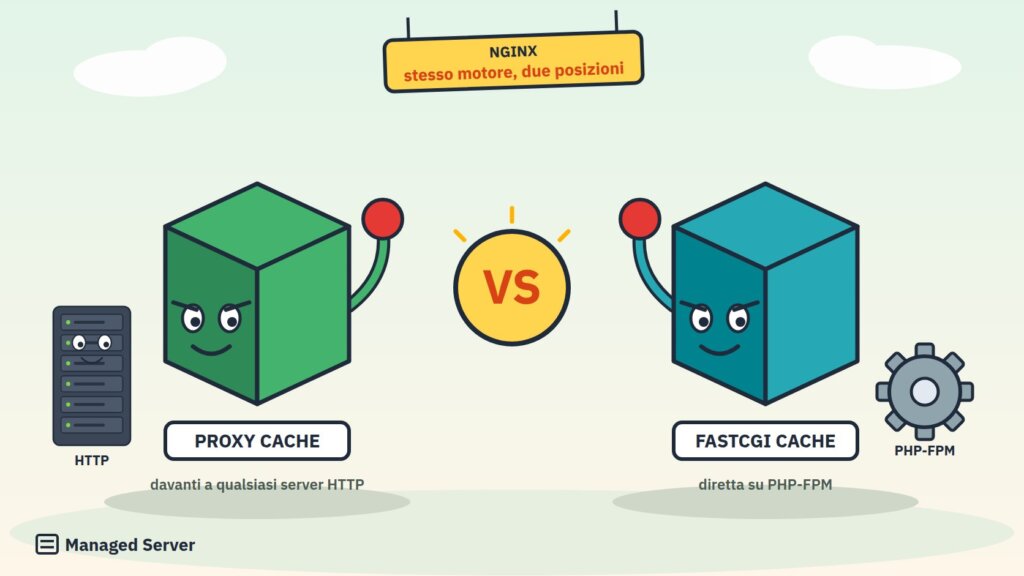
When talking about caching with NGINX, the question sooner or later comes up: which is better, Proxy Cache or FastCGI Cache ? You can find comparisons, benchmarks, and conflicting opinions online, often based on the idea that one is "faster" than the other. This is a poorly framed question. The two caches use the same engine, store data in the same way, and respond with the same speed. What differs is where they are located in the architecture and therefore what problems they are able to solve.
In this article, I explain what they are, how they're similar, where they really differ, and when one or the other is more convenient. I also look at how we use them in practice on the servers we manage, including the one that hosts this site.
Same engine, two different positions
NGINX has a single caching mechanism, which can be connected to different types of backends. The two most commonly used variants are:
- la Proxy Cache it is used when NGINX works as a reverse proxy and forwards requests to another HTTP server: an Apache, a second NGINX, a Node.js or Java application, a Varnish, a server on another machine;
- la Fast CGI Cache It is used when NGINX talks directly to the application interpreter through the FastCGI protocol, typically PHP-FPM for WordPress, WooCommerce, PrestaShop, Magento or Laravel.
In both cases, the principle is identical: the first time a page is requested, NGINX requests it from the backend, delivers it to the visitor, and stores a copy. Subsequent requests for the same page are served from that copy, without disturbing the backend, as long as the copy is valid.
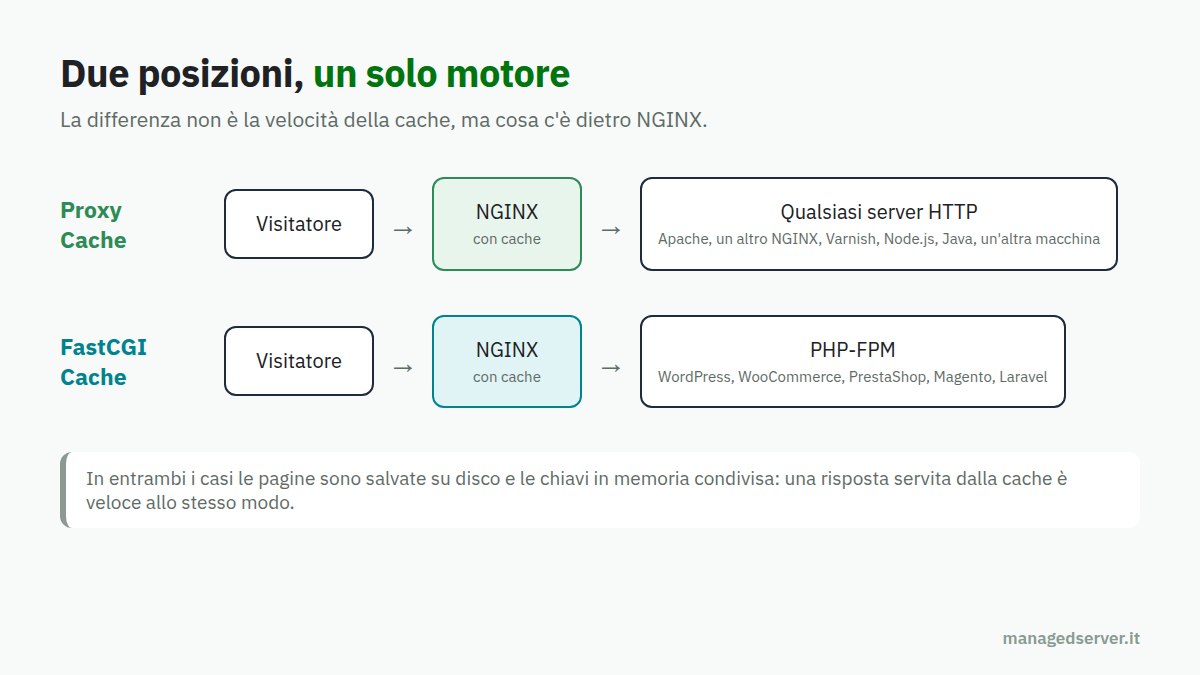
Even the data storage method is the same. Pages are saved as files on disk, while the list of keys and information about each copy are stored in a memory area shared between NGINX processes. In practice, thanks to the operating system cache, the most requested pages remain in RAM and are served almost without touching the disk. The performance of a response served from the cache is therefore equivalent: in both cases, NGINX reads a ready copy.
The functions in common
The two caches also share all the features that matter in production:
- rules on what to keep and for how long, based on the response code, headers sent by the backend or durations decided by the system administrator;
- exclusions for authenticated users, shopping carts, reserved areas and requests other than simple reading;
- racing protection: when a page expires and a hundred requests arrive at once, only one goes to the backend to regenerate it and the others wait, instead of all hitting PHP or the database at once;
- expired copy serviceWhile the new version is being prepared, or if the backend temporarily fails, NGINX can continue serving the previous copy. This is one of the most valuable features, as it turns a slow or struggling backend into a responsive site.
- background update, which regenerates the expired page without making the visitor wait.
There's also a common limitation, which is worth knowing about: the open source version of NGINX doesn't allow for targeted deletion of a single page . The purge feature is part of the commercial NGINX Plus subscription; the free version relies on third-party modules or designs the cache with short lifetimes. This is one of the reasons why, where precise invalidation is needed, we include Varnish in the chain.
Where is the real difference?
While the engine is the same, the difference lies in three practical aspects.
1. The number of steps
With FastCGI Cache, NGINX communicates directly with PHP-FPM: visitor request, NGINX, PHP. There are no intermediaries. With Proxy Cache, however, an additional step is required when dealing with a PHP application: NGINX forwards the request via HTTP to another web server, which in turn passes it on to PHP. This difference isn't noticeable on pages served from cache; on MISSes, there's a small additional cost, which is almost always negligible compared to the page generation time, but which doesn't provide any benefits on a single server.
2. What's behind it?
The FastCGI Cache only makes sense if there's a FastCGI process behind it. The Proxy Cache works in front of anything that speaks HTTP: another server, a containerized application, a service on another machine, an entire cluster. This makes it the natural tool for multi-tier architectures, edge nodes serving content from distant servers, and non-PHP applications.
3. Who decides the duration?
In both cases, the cache can honor the headers sent by the application or ignore them and follow the system administrator's rules. In practice, however, with FastCGI Cache, the configuration lives on the same server as the application, and whoever manages it knows the CMS; with Proxy Cache, it's often located on a separate level, perhaps managed by a different team, and it becomes crucial for the application to correctly communicate what can and cannot be stored.
When to choose the FastCGI Cache
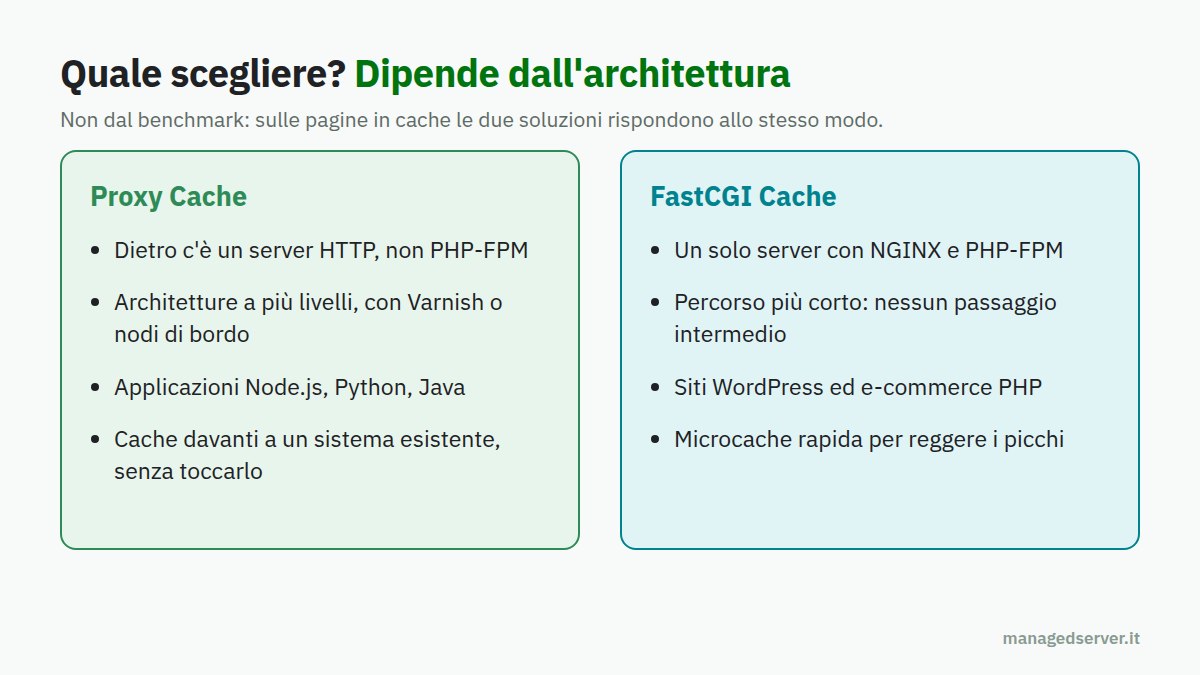
FastCGI Cache is the simplest and most effective choice when:
- there is a single server with NGINX and PHP-FPM, as in most WordPress sites and small e-commerce sites;
- we want the shortest possible path between visitor and application, without additional services to maintain;
- There are many public pages that are the same for all anonymous visitors, and personal pages are recognizable by a cookie.
It's also the quickest way to give a struggling site a break during a traffic spike: a few seconds of caching on public pages is enough to drastically reduce the number of busy PHP processes.
When to choose Proxy Cache
Proxy Cache is the right choice when:
- behind NGINX there is not PHP-FPM but another HTTP server, an application in Node.js, Python or Java, or a service on another machine;
- architecture is multi-level: an on-board NGINX that terminates HTTPS and secures the infrastructure, one or more internal layers, perhaps a Varnish;
- You want to put a cache in front of an existing system without modifying it, for example an old Apache server that cannot be migrated immediately.
The microcache: a few seconds that save the server
A technique we often use, with both caches, is microcaching : storing pages for just a few seconds. It may seem pointless, but think of a page requested a hundred times a second during a campaign or a TV appearance. With a one-second cache, the backend generates it once a second instead of a hundred. The content effectively stays up-to-date, while the load drops dramatically.
It's the same logic we apply on our site. At the front, there's an NGINX that terminates HTTPS and maintains a microcache of public pages, with a copy for each type of compression requested by browsers. Behind it all is Varnish, which manages the actual cache with its own rules and the ability to invalidate pages, and only after that comes the server running PHP. The NGINX layer on top, in this scheme, is actually a proxy cache: it doesn't have PHP in front, it has another HTTP server.
The most common mistakes
Whichever cache you choose, the problems we see most often on the sites we manage are always the same:
- cache keys too poor, which don't distinguish between different versions of the same page: desktop and mobile, languages, currencies, compression. The result is a visitor receiving the wrong version;
- cached personal pagesCarts, customer areas, and usernames displayed in the header. It only takes a few minutes of incorrect configuration to show one customer another's information.
- cookies that make everything non-storableBy default, NGINX doesn't cache responses that set a cookie, and many applications set one on every page even when it's not needed. The cache is there, but it's never used;
- no racing protection: when a highly requested page expires, dozens of requests arrive at the backend at once and the server starts to struggle just when the cache should be protecting it;
- no measure: Without observing how many requests are served from the cache and how many arrive at the backend, you don't know whether the cache is working or if it's just an additional cost.
And Varnish?
NGINX caches are excellent for simple load reduction. Varnish is superior when fine-grained control is required: complex rules written in a dedicated language, precise invalidation of individual pages or groups of pages, and elaborate management of variants and cookies. This isn't an exclusive alternative: in the architectures we manage, NGINX and Varnish caches often work together, each working where it performs best. We've discussed this, for example, in the articles on Joomla and Varnish and on Drupal and tag caches.
Conclusions
"Proxy Cache or FastCGI Cache?" isn't a race. The two caches are the same tool connected at two different points: FastCGI Cache shortens the path when NGINX and PHP are on the same server, while Proxy Cache allows you to place a cache in front of any backend and build multi-tier architectures. The choice depends on the architecture, not the benchmark. And in both cases, the difference between a useful cache and a useless, or dangerous, cache is made by the rules: what to store, for whom, for how much, and how to behave when the backend slows down.
If you want to understand which cache your project needs, or why the one you have doesn't seem to be working, with our NGINX support service we analyze the architecture and configure it custom, and on our Dedicated Servers we find it already ready and optimized.

